A Paperspace alternative at 80% lower cost

Compare Fluence and Paperspace on GPU pricing, deployment control, provider flexibility, bandwidth assumptions, and workload fit across containers, VMs, and bare metal.

Host OpenClaw on always-on Virtual Servers for up to 85% less cost and connect it to external LLM APIs or routing layers. When you need self-hosted inference, you can also pair OpenClaw with Fluence GPU Cloud.

Access GPU capacity across multiple providers globally

Access GPU capacity across multiple providers globally

Predictable pricing with unlimited bandwidth and no egress fees

Deploy containers, VMs, or bare metal GPUs at up to 80% lower cost vs. hyperscalers

Fluence vs Paperspace at a glance

Category

Fluence

Paperspace

Best for

Production GPU workloads

Fast starts and managed AI workflows

Core experience

Full infrastructure control

Workflow simplicity

Deployment options

Containers, VMs, bare metal

Notebooks, Machines, Deployments

Provider flexibility

Access across providers globally

Single-vendor environment

Cost model

Predictable hourly pricing, zero egress fees

Usage-based pricing

Fluence

Paperspace

Best for

Production GPU workloads

Fast starts and managed AI workflows

Core experience

Full infrastructure control

Workflow simplicity

Deployment options

Containers, VMs, bare metal

Notebooks, Machines, Deployments

Provider flexibility

Access across providers globally

Single-vendor environment

Cost model

Predictable hourly pricing, zero egress fees

Usage-based pricing

Compare the real cost
of GPU compute

Compare the real cost
of GPU compute

Compare the real costof GPU compute

GPU pricing can look simple at small scale.
It gets harder to manage as workloads run
Longer and grow across environments.


Fluence is designed to give teams a more
transparent and predictable GPU cost model.

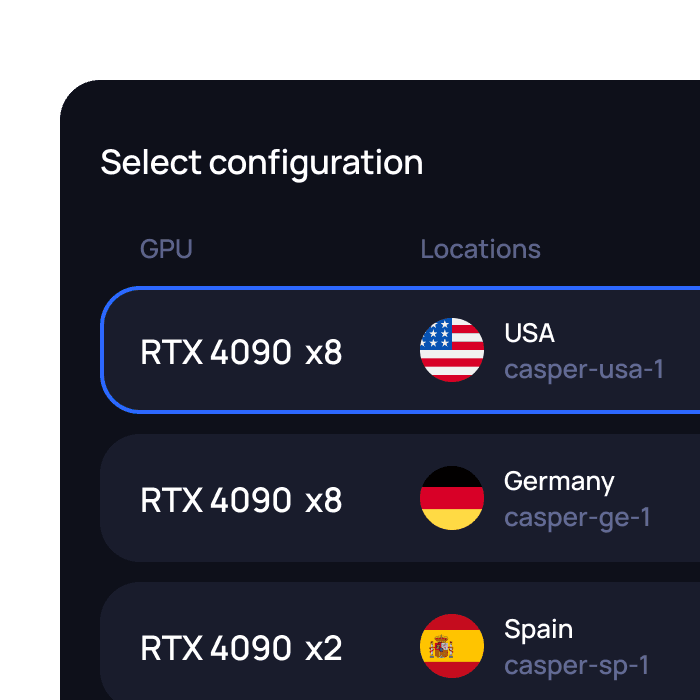
Need a different GPU setup or configuration?

Send us your requirements and our team will get back to you.

Need a different GPU setup or configuration?

Send us your requirements and our team will get back to you.

Run GPU workloads as containers, VMs, or bare metal

GPU Containers

Inference, experiments, batch jobs, repeatable workloads.


Fast path to launch containerized GPU workloads.

GPU VMs

GPU VMs

Custom environments, persistent services, orchestration, OS-level control.


More control over the operating environment and runtime setup.
Bare Metal

Bare Metal

Large training jobs, hardware-sensitive workloads, strict isolation.


Direct hardware access and maximum infrastructure control.

Where Fluence is different

Where Fluence is different

More infrastructure control

More infrastructure control

Production workloads often need tighter control over runtime environments, deployment models, and operating conditions.

Production workloads often need tighter control over runtime environments, deployment models, and operating conditions.

More infrastructure control

Production workloads often need tighter control over runtime environments, deployment models, and operating conditions.

More provider flexibility

More provider flexibility

As GPU demand grows, teams want more choice in where workloads run and how capacity is sourced.

As GPU demand grows, teams want more choice in where workloads run and how capacity is sourced.

More provider flexibility

As GPU demand grows, teams want more choice in where workloads run and how capacity is sourced.

More provider flexibility

As GPU demand grows, teams want more choice in where workloads run and how capacity is sourced.

Better fit for production workloads

Better fit for production workloads

Better fit for production workloads

Notebook-led workflows are useful early on, but they do not always map cleanly to large-scale inference, fine-tuning, or sustained training workloads.

Notebook-led workflows are useful early on, but they do not always map cleanly to large-scale inference, fine-tuning, or sustained training workloads.

Better fit for production workloads

Notebook-led workflows are useful early on, but they do not always map cleanly to large-scale inference, fine-tuning, or sustained training workloads.

Clearer cost planning

Clearer cost planning

Clearer cost planning

Clearer cost planning

As spend increases, pricing transparency becomes more important. Teams need a cost model they can understand and forecast.

As spend increases, pricing transparency becomes more important. Teams need a cost model they can understand and forecast.

Built for production GPU use cases

Production inference

Production inference

Production inference

Run model-serving workloads with more control over runtime, environment, and infrastructure costs.

Recommended deployment:

GPU container or GPU VM

Model fine-tuning

Model fine-tuning

Model fine-tuning

Use dedicated GPU capacity for custom training runs, adapters, checkpoints, and experiment cycles.

Recommended deployment:

GPU VM or GPU bare metal

LLM development

LLM development

LLM development

Test, iterate, and run GPU-backed workloads without being locked into a notebook-first workflow.

Recommended deployment:

GPU container or GPU VM

Training pipelines

Training pipelines

Training pipelines

Run longer GPU jobs with control over environment, storage, and deployment setup.

Recommended deployment:

GPU VM or GPU bare metal

Batch inference

Batch inference

Batch inference

Process large volumes of prompts, media, embeddings, or model outputs in repeatable jobs.

Recommended Fluence deployment:

GPU container

Simulation and rendering

Simulation and rendering

Simulation and rendering

Run GPU-intensive workloads that benefit from direct infrastructure control and predictable capacity.

Recommended Fluence deployment:

GPU VM or GPU bare metal

AI agent inference workloads

AI agent inference workloads

AI agent inference workloads

Support agent systems that depend on GPU-backed model inference, while keeping the application stack under your control.

Recommended Fluence deployment:

GPU container or GPU VM

Try Fluence with one GPU workload

1

1

Choose a GPU model

Choose a GPU

model

2

2

Select container, VM, or bare metal

3

3

Pick a region, provider, or available offer

4

4

Launch a small test workload

5

5

Compare cost, setup experience, and infrastructure control

FAQ

FAQ

What is the main difference between Paperspace and Fluence?

Is Fluence better than Paperspace?

Is Fluence a good fit for inference workloads?

Can teams move from Paperspace to Fluence?

Is Paperspace still a good option for some teams?

What is the main difference between Paperspace and Fluence?

Is Fluence better than Paperspace?

Is Fluence a good fit for inference workloads?

Can teams move from Paperspace to Fluence?

Is Paperspace still a good option for some teams?

Move beyond
notebook-first
GPU platforms

Move beyond
notebook-first
GPU platforms

Run GPU workloads on infrastructure that gives your team more control, more provider choice, and clearer economics.