Run LangGraph at 85% Lower Cost

Deploy LangGraph agent backends on reliable, dedicated virtual servers.
Run agents, APIs, workers, tools, and memory backends without hyperscaler pricing.


Fluence

Fluence

Fluence

$10.78/mo

$10.78/mo

$10.78/mo

Hetzner

Hetzner

Hetzner

$17.60/mo

$17.60/mo

$17.60/mo

DigitalOcean

DigitalOcean

DigitalOcean

$42.00/mo

$42.00/mo

$42.00/mo

AWS

AWS

AWS

$69.50/mo

$69.50/mo

$69.50/mo

Built for LangGraph agent hosting

LangGraph helps developers build stateful agents, tool-calling
workflows, and multi-step AI applications. Fluence gives those
workloads a lower-cost compute layer with virtual servers.

Run agent backends

Run agent backends

Host LangGraph graphs, deep agents, APIs, workers, and webhook handlers on Fluence infrastructure.

Manage state and memory

Use LangGraph backends like StateBackend, StoreBackend, and CompositeBackend for files, memory, and state.

Start from $9 per month

Keep infrastructure lean with daily billing and outbound traffic included.

One architecture for LangGraph AI agents

Keep LangGraph agents cost-efficient by hosting the backend on a persistent Fluence Virtual Server while model execution, tools, memory, and observability stay separate.

LangGraph on Virtual Servers

LangGraph runtime, agent API, Docker runtime, webhook handlers, and background workers run on Fluence.

Connects externally

Connect LangGraph to model APIs, tool APIs, LangSmith, application backends, Postgres, Redis, and workload-specific state or memory stores.
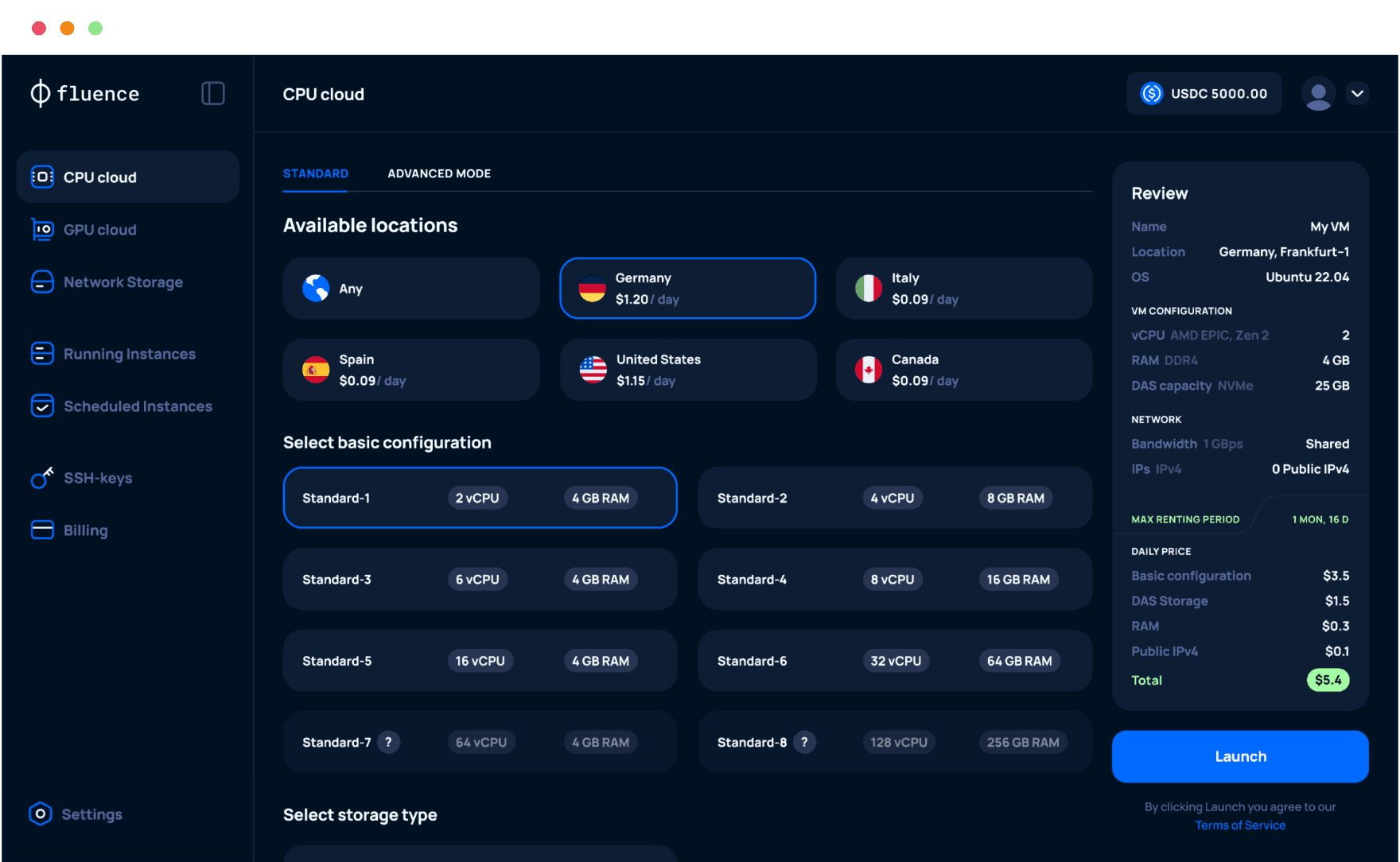

Fluence Console, deploy virtual servers instantly, powered by Fluence decentralized cloud platform

Get LangGraph AI running in a few steps

Get LangGraph AI running in a few steps

Launch a server, deploy your app, and connect your model
stack. Install and deploy your AI agent within minutes.

Launch a server, deploy your app, and connect your model
stack. Install and deploy your AI agent within minutes.

1

1

Launch a Virtual Server

Launch a Virtual Server

Launch a Virtual Server

Launch a Virtual Server

Launch a Virtual Server

Select a location, server type, storage, operating system, SSH key, and open ports for your LangGraph backend.

2

2

Deploy LangGraph

Deploy LangGraph

Deploy LangGraph

Install your runtime, package your LangGraph app, and run your agent API, workers, webhooks, or Docker service on Fluence.

3

3

Connect externally

Connect externally

Connect externally

Connect LangGraph to model APIs, tools, LangSmith, Postgres, Redis, or other state and memory backends.

Save up to 85% on LangGraph hosting costs

Save up to 85% on LangGraph hosting costs

Keep LangGraph agents running on dedicated Virtual Servers at a lower benchmark cost than traditional cloud providers, with daily billing, zero egress fees, and unlimited bandwidth included.

No hidden or surprise fees

Lower always-on backend costs

Transparent, predictable daily billing

Note: Calculator estimates reflect only the Virtual Server layer used for LangGraph hosting.

LangGraph AI on Fluence vs. a traditional VPS

LangGraph AI on Fluence vs. a traditional VPS

LangGraph AI on Fluence vs. a traditional VPS

Run LangGraph backends with the flexibility of VPS-style hosting, plus lower-cost compute, transparent pricing, and portable backend storage.

Key factor

Fluence

Traditional VPS

Cost model

Daily billing with transparent pricing

Monthly plans, fixed tiers, and possible add-on fees

Agent hosting

Runs LangGraph agents, APIs, workers, and backends on dedicated compute

Runs APIs, workers, and services like a standard server

State and memory

Uses LangGraph backends for state, files, and durable memory

Usually tied to local disk or external databases

Portability

Agent logic stays portable across infrastructure

Migration depends on provider setup

GPU access

CPU and GPU options for AI workloads

Often limited or expensive

Best for

Stateful agents, tool workflows, RAG, and multi-agent systems

General web apps and simple backends

Fluence

Traditional VPS

Cost model

Daily billing with transparent pricing

Monthly plans, fixed tiers, and possible add-on fees

Agent hosting

Runs LangGraph agents, APIs, workers, and backends on dedicated compute

Runs APIs, workers, and services like a standard server

State and memory

Uses LangGraph backends for state, files, and durable memory

Usually tied to local disk or external databases

Portability

Agent logic stays portable across infrastructure

Migration depends on provider setup

GPU access

CPU and GPU options for AI workloads

Often limited or expensive

Best for

Stateful agents, tool workflows, RAG, and multi-agent systems

General web apps and simple backends

Why Fluence is a strong fit for LangGraph

Why Fluence is a strong fit for LangGraph

Lower always-on compute costs

Run LangGraph agents, APIs, and workers on lower-cost dedicated infrastructure with transparent daily billing.

Lower always-on compute costs

Run LangGraph agents, APIs, and workers on lower-cost dedicated infrastructure with transparent daily billing.

Lower always-on compute costs

Run LangGraph agents, APIs, and workers on lower-cost dedicated infrastructure with transparent daily billing.

Portable agent backends

Use LangGraph backends to keep compute separate from state, files, memory, and storage.

Portable agent backends

Use LangGraph backends to keep compute separate from state, files, memory, and storage.

Portable agent backends

Use LangGraph backends to keep compute separate from state, files, memory, and storage.

CPU and GPU flexibility

CPU and GPU flexibility

Run orchestration on CPU instances and use GPU Cloud for inference, vector search, or model-serving workloads.

Run orchestration on CPU instances and use GPU Cloud for inference, vector search, or model-serving workloads.

CPU and GPU flexibility

Run orchestration on CPU instances and use GPU Cloud for inference, vector search, or model-serving workloads.

Full infrastructure control

Full infrastructure control

Choose the server, location, networking, storage, databases, and deployment stack without hyperscaler lock-in.

Choose the server, location, networking, storage, databases, and deployment stack without hyperscaler lock-in.

What you can build with LangGraph on Fluence

LangGraph agent APIs

Expose LangGraph agents as stable APIs for products, internal tools, support workflows, or automation systems.


Common stack: LangGraph, FastAPI, Docker, model APIs

Tool-calling agents

Run agents that call external APIs, trigger webhooks, process data, and coordinate multi-step workflows.


Common stack: LangGraph nodes, tools, webhooks, external APIs

Stateful workflow backends

Host long-running graph workflows with persistent state, memory, files, and background execution.


Common stack: LangGraph, StoreBackend, Postgres, Redis

RAG and memory agents

Build agents that retrieve documents, store context, and persist user or task memory across sessions.


Common stack: LangGraph, CompositeBackend, vector stores, LangSmith

A global marketplace of compute

Find the nearest and most cost-efficient CPU and GPU resources your agents need
from top-tier providers across the globe, unified in one console.

FAQ

Can I run LangGraph on Fluence?

Is Fluence a managed LangGraph platform?

What LangGraph components can I host?

How do I expose a LangGraph API?

Which LangGraph backend should I use?

Can I use Postgres or Redis with LangGraph on Fluence?

Can I use GPUs for LangGraph workloads?

Is this suitable for production LangGraph agents?

Show more

Run LangGraph at up to 85% lower cost

Run your LangGraph backend on Fluence and
connect the model stack you already use.